

Blogs  5 Essential Tips for Fami...

.jpeg?width=32&height=32&name=047-FjykSoq-Wa8%20(1).jpeg)
As a security professional, you spend your days focused on managing risk and building a resilient defense for your organization. You understand the importance of a proactive security posture. But that responsibility doesn't end when you log off. The same principles apply to protecting your most important team: your family. The threats may look different, shifting from corporate espionage to cyberbullying or identity theft, but the need for a clear, communicated strategy remains the same. This guide is designed to help you translate your professional expertise into a practical, actionable plan for family cyber security, empowering you to safeguard your loved ones in our connected world.
Your Actionable Family Cyber Security Checklist
At Living Security, we know that cybersecurity isn't just for your employees to protect company data. Cybersecurity is important in all aspects of life, and keeping your family safe is key to building strong security behaviors in all your loved ones.
Here you'll find some helpful resources, including:
- Parental Controls: Devices
- Social Media: Privacy Settings and Tools
- Gaming Systems and Accounts: Online Safety and Privacy Settings
- Device and Application Monitoring (Paid Services)
- Law Enforcement, Non-Profit Groups, Tips and Guidance
Understanding the Modern Threat Landscape for Families
The digital world is an integral part of family life, from school assignments and social connections to entertainment and gaming. While it offers incredible opportunities, it also presents a complex and evolving set of risks. Understanding these threats is the first step toward creating a safer online environment for your loved ones. It’s not about fearing technology, but about equipping your family with the knowledge to interact with it confidently and securely. The threats facing families today range from direct personal attacks to sophisticated technical exploits, making awareness a critical line of defense for everyone, regardless of their age or technical skill.
Common Cyber Threats to Be Aware Of
While the methods may change, the goals of cybercriminals often remain the same: to exploit trust, steal information, or cause harm. For families, the most common threats are those that target individuals directly, preying on a lack of awareness or a moment of distraction. These incidents can have lasting emotional and financial consequences. Knowing what to look for is essential, as recognizing a threat is the first and most important step in avoiding it. From malicious messages to deceptive websites, being prepared can make all the difference in protecting your family’s data and well being online.
Cyberbullying
Cyberbullying involves using digital communication to harass, threaten, or humiliate someone. This can happen through social media, messaging apps, or online gaming platforms. Because children often don't understand the risks of sharing information online, they can become targets or participants without realizing the long term impact. Unlike traditional bullying, its digital counterpart can be relentless, following a child home and creating a sense of constant distress. Open conversations about online kindness, privacy, and what to do when encountering hurtful behavior are fundamental to addressing this pervasive issue.
Ransomware and Online Extortion
Ransomware is a type of malicious software that criminals use to lock your computer or encrypt your personal files, making them inaccessible. The attacker then demands a ransom payment to restore your access. Similarly, online extortion involves threats to release sensitive information unless a payment is made. These attacks can be incredibly disruptive, leading to the loss of precious family photos and important documents. Effective family cyber protection starts with recognizing the tactics criminals use to deploy this software, which often arrives through suspicious email attachments or downloads.
Data Breaches and Identity Theft
Every time you create an online account, you are entrusting a company with your personal information. When that company suffers a data breach, your details, from passwords to personal identifiers, can be stolen and sold online. Criminals use this information to commit identity theft, opening credit cards, taking out loans, or committing crimes in your name. They can steal passwords, data, money, and identities, causing significant financial and personal turmoil that can take years to resolve. Protecting personal information is key to preventing your family from becoming victims.
Risks from Apps, Games, and New Technology
Beyond direct threats from criminals, risks can also be embedded in the technology your family uses every day. The apps, games, and platforms that connect and entertain us are often designed with specific goals in mind, which may not always align with your family’s best interests. From persuasive design that encourages constant use to emerging technologies with unknown security implications, it’s important to look critically at the digital tools you welcome into your home. Understanding how these technologies work helps you set healthy boundaries and prepare for new challenges.
How Apps and Games Are Designed to Engage Users
Many popular apps and games are built to hold your attention for as long as possible. They often use persuasive design techniques, like notifications and reward systems, to keep people 'hooked' and coming back for more. While this can be harmless fun, it can also lead to excessive screen time, create pressure to make in-app purchases, and encourage the oversharing of personal information. Teaching children to be mindful of how apps make them feel and to take regular breaks is a crucial skill for maintaining a healthy relationship with technology.
Navigating Risks from Generative AI
New technologies like Generative AI, including tools like ChatGPT, are becoming more common, and they introduce a new set of risks for families to consider. These powerful tools can create convincing text, images, and audio, which also means they can be used to generate misinformation or create deceptive content for phishing attacks. As your family begins to use these tools for homework or creative projects, it's important to discuss the importance of verifying information and thinking critically about the content they encounter and create with AI.
Building a Strong Foundation for Digital Safety
Just as you teach your children to lock the front door, establishing foundational cybersecurity practices is essential for protecting your family in the digital world. These are not complex technical tasks but simple, repeatable habits that significantly reduce your risk of becoming a victim of cybercrime. By making these practices a normal part of your family's routine, you build a strong security culture at home. This foundation not only protects your personal information and devices but also empowers every family member to take an active role in their own digital safety, creating a resilient first line of defense against common threats.
Foundational Cybersecurity Practices
The core of digital safety lies in a few key habits that are easy to learn and implement. These practices work together to create multiple layers of protection around your family's online life. Think of them as the basic building blocks of a secure digital home. From securing your accounts to keeping your devices healthy, mastering these fundamentals is the most effective way to defend against the vast majority of online threats. Making them a consistent habit across all your family's devices and accounts is the key to their success.
Use Strong Passwords and a Password Manager
One of the most common mistakes people make is using easy to guess passwords or reusing the same password across multiple accounts. If a criminal cracks one, they can access them all. The best practice is to use a long, unique, and complex password for every single account. Since remembering dozens of such passwords is impossible, a password manager is an essential tool. It securely stores all your passwords and can generate strong ones for you, so you only need to remember one master password.
Turn on Multi-Factor Authentication (MFA)
Multi-factor authentication is one of the most effective security measures you can take. It acts as a second line of defense for your accounts by requiring an additional piece of information beyond your password. This is usually a temporary code sent to your phone or generated by an app. Even if a criminal manages to steal your password, they won't be able to log in without access to your second factor. You should enable MFA on every account that offers it, especially for important services like email and banking.
Keep Your Software Updated
Software updates for your phones, computers, and apps don't just add new features; they often contain critical security patches that fix vulnerabilities discovered by developers. Cybercriminals actively search for devices running outdated software because these weaknesses provide an easy way in. The simplest way to stay protected is to enable automatic updates on all your family's devices. This ensures you receive security fixes as soon as they are available without having to think about it, closing the door on potential attacks.
Recognize and Report Phishing
Phishing attacks are fraudulent messages, usually emails or texts, designed to trick you into revealing sensitive information like passwords or credit card numbers. These messages often create a sense of urgency, like claiming your account has been compromised or offering a prize. Teach your family to be skeptical of unsolicited messages and to spot the signs of a fake message, such as generic greetings, poor grammar, and suspicious links. Never click on links or download attachments from unknown senders, and report phishing attempts to the service provider.
Back Up Your Data Regularly
Imagine losing all your family photos, videos, and important documents in an instant. This can happen if your device is lost, stolen, or hit by a ransomware attack. Regularly backing up your data is your safety net. You can use a cloud service or an external hard drive to keep copies of your most important files. Having a recent backup means you can quickly recover after an incident, turning a potential disaster into a minor inconvenience. Automate your backups so they happen consistently without you needing to remember.
Securing Your Network and Public Connections
Your digital safety extends beyond your devices to the networks you use to connect to the internet. Whether you're at home or on the go, the connection itself can be a point of vulnerability if not properly secured. Protecting your home network is a critical step in safeguarding all the devices connected to it. At the same time, it's equally important to teach your family how to stay safe when connecting to networks outside your home, where you have less control over security.
Protect Your Home Wi-Fi Network
Your home Wi-Fi network is the gateway to the internet for all your family's devices. Securing it is a top priority. The first and most important step is to change the default administrator password on your router. These default passwords are often publicly known, and leaving them unchanged makes it easy for an attacker to take control of your network. You should also ensure your network is protected with a strong, unique password using the WPA2 or WPA3 security standard.
Be Careful on Public Wi-Fi
Free public Wi-Fi at places like coffee shops, airports, and hotels is convenient, but it can also be risky. These networks are often unsecured, meaning criminals on the same network can potentially spy on your online activity and steal your information. Advise your family to avoid logging into sensitive accounts, like banking or email, when using public Wi-Fi. For better protection, consider using a Virtual Private Network (VPN), which encrypts your internet traffic and shields it from prying eyes.
Avoid Public USB Charging Stations
Plugging your phone into a public USB charging station at an airport or mall might seem harmless, but it can expose your device to risk. This practice, sometimes called "juice jacking," allows criminals to modify USB ports to install malware on your device or steal data from it without your knowledge. Instead of using the USB port, plug your own charging adapter into a standard AC power outlet. Alternatively, carry a portable power bank to recharge your devices safely when you're on the move.
Developing a Proactive Family Security Strategy
Technical tools and settings are important, but a truly effective family security plan is built on communication, education, and shared responsibility. It’s about moving from a reactive posture of fixing problems to a proactive one of building good habits and digital resilience. This approach mirrors the principles of modern cybersecurity, where preventing incidents is far more effective than responding to them. A proactive strategy involves open conversations about online risks, setting clear expectations together, and empowering every family member with the knowledge to make smart, safe choices online every day.
Digital Parenting and Education
Your role as a parent is not to be a security expert but a guide. The goal is to raise digitally literate kids who can think critically and act responsibly online, both now and in the future. This requires more than just installing parental control software; it demands ongoing conversations and a willingness to learn alongside your children. By focusing on education and open dialogue, you can build a foundation of trust and equip your children with the skills they need to handle the challenges of the digital world.
Teach Digital Literacy, Don't Just Shield
While it's tempting to try and shield children from all online risks, this approach can leave them unprepared for the real world. A better strategy is to focus on building their digital literacy. This means teaching them how to evaluate information, recognize risks, and protect their privacy. Just as they need to experience controlled risks to learn in the physical world, they need guidance to develop good judgment online. This empowers them to become confident and capable digital citizens who can make safe decisions on their own.
Create a Personalized Family Plan
Every family is unique, so a one-size-fits-all approach to online safety won't work. The most effective strategy is to create a personalized plan that reflects your family's values, your children's ages, and the specific technologies you use. This plan should be a living document that you create together, covering topics like screen time limits, rules for online communication, and what to do if something goes wrong. Involving your children in the process gives them a sense of ownership and makes them more likely to follow the guidelines.
Discuss the Dangers of Oversharing
It's easy to forget that the internet is a public space. Many people, adults and children alike, share personal details online that they would never reveal to a stranger on the street. Have open conversations with your family about what is and isn't appropriate to share online. This includes everything from vacation plans and home addresses to personal feelings and photos. Explain how this information can be misused by others for cyberbullying, identity theft, or even physical harm, and establish clear privacy settings on all social media accounts.
Parental Controls: Devices
 |  |  |
| App Store Restrictions | Windows Security: Online Protection | Family Link |
| Ask to Buy | Microsoft Family | |
| Screen Time |
Social Media: Privacy Settings and Tools
 |  |  |
| Snapchat | TikTok | |
 |  |  |
 |  |  |
| YouTube | Tumblr |
Gaming Systems and Accounts: Online Safety and Privacy Settings
 |  |  |
| Xbox | Playstation | Nintendo Switch |
 | ||
| Tankee |
Device and Application Monitoring (Paid Services)
 |  |  |
| Bark | Canopy | Qustodio |
 | ||
| Net Nanny |
Law Enforcement, Non-Profit Groups, Tips and Guidance







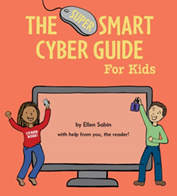
Frequently Asked Questions
How do I talk to my kids about these risks without making them afraid of the internet? The key is to frame the conversation around empowerment, not fear. Think of it as teaching digital street smarts, similar to how you teach them to look both ways before crossing the street. Start by focusing on the positive aspects of the internet and then introduce safety as a way to keep their online experiences fun and secure. Use relatable analogies and emphasize that you are a team, creating a safe space where they can come to you with any questions or concerns without fear of judgment.
What are the most critical security settings for my family's gaming consoles and accounts? For gaming, focus on three main areas. First, lock down the privacy settings on the console and within individual game accounts to control who can interact with your child. Second, manage in-game purchases by setting spending limits or requiring a password for all transactions. Finally, have a clear conversation about safe online communication, reminding them never to share personal information like their real name, school, or address with people they meet in games.
Is it better to use parental control software or to teach my kids good digital habits? It's not an either/or choice; the most effective approach uses both. Parental control software can be a great tool for setting clear boundaries and protecting younger children from content they aren't ready for. However, your ultimate goal is to build your child's digital literacy and critical thinking skills. Use the software as a support system while you actively teach them how to recognize risks and make smart, independent choices for themselves.
How can I protect my family from phishing and scams? The most important lesson is to cultivate a healthy sense of skepticism. Teach your family to pause and think before clicking, especially when a message creates a sense of urgency or promises something that seems too good to be true. A simple rule is to never click on links or download attachments from unknown senders. If a message asks for personal information, always verify it by contacting the company or person directly through a trusted website or phone number.
My teen wants more privacy online. How do I respect that while still ensuring they're safe? This is a natural part of them growing up, and it requires shifting your approach from monitoring to mentoring. It's about building mutual trust through open communication. Work together to establish a few non-negotiable ground rules, such as keeping social media profiles private and agreeing on what information is not safe to share. By involving them in creating these guidelines, you respect their growing independence while keeping the essential lines of communication open.
Key Takeaways
- Implement foundational security practices: Protect your family’s accounts and devices by using a password manager for unique passwords, enabling multi-factor authentication on all important accounts, and keeping software set to update automatically.
- Build a strategy based on communication, not just controls: Go beyond technical tools by creating a personalized family plan together. Focus on teaching digital literacy and critical thinking to empower your kids to make smart decisions online.
- Secure your network environment everywhere: Your digital safety depends on the networks you use. Protect your home Wi-Fi with a strong password and teach your family to be cautious on public networks by avoiding sensitive tasks and public USB chargers.
Related Articles
.jpeg?width=200&height=200&name=047-FjykSoq-Wa8%20(1).jpeg)


