
Overview
End User Scorecards provide every employee with a personalized view of their own security behaviors and vigilance—helping make security personal, actionable, and continuous.
Accessing Scorecards
All End Users can access their score following these steps:
- US Region Users receive a link to dashboard.livingsecurity.com
- EU Region Users receive a link to dashboard-eu.livingsecurity.com
- They authenticate using their Single Sign-On (SSO) credentials
- Once authenticated, they are taken directly to their personal End User Scorecard
While Living Security Dashboard requires the Unify platform to be enabled, it is not Unify. The Scorecard Dashboard is a dedicated experience designed for end users to view only their own data within the tenant.
If your organization has implemented employee hierarchy via integration, managers will be given direct visibility into their teams’ security behaviors on their Scorecard Dashboard. Learn more about the Manager's Scorecard Dashboard.
Any user with a valid company email and successful SSO authentication can access the dashboard.
What End Users Can See
Each End User Scorecard presents a personalized, easy-to-understand view of an individual’s security posture, including:
- Personal Behavior Score – the user’s overall security vigilance score for the selected time period
- Behavior Score Factors – visibility into which specific behaviors were observed during the scoring window
- Score Explanation – in-depth guidance on how the score is calculated and what it represents
- (Optional) Action Items – recommended next steps defined by the customer admin
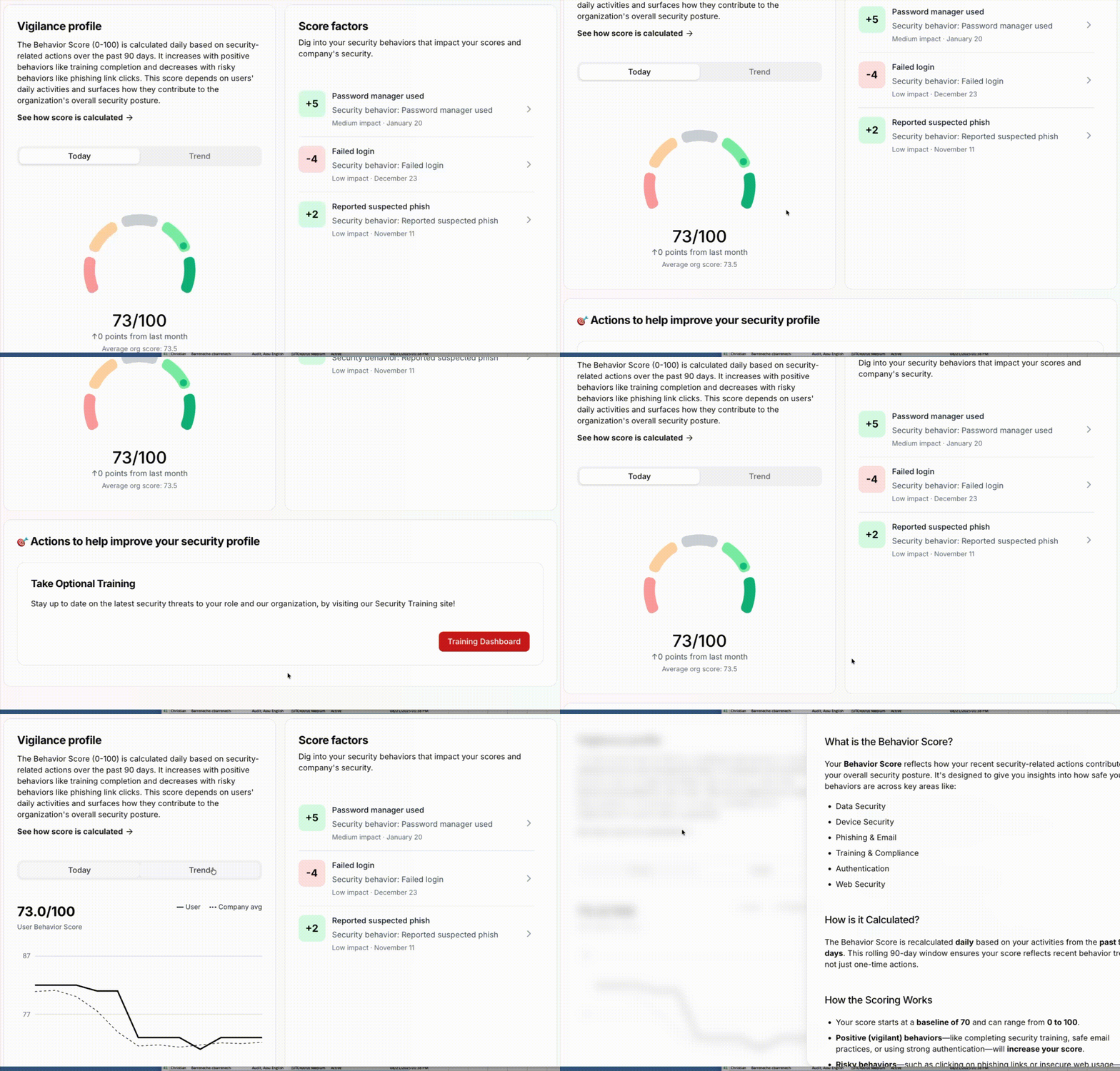
This experience is designed to be transparent, educational, and actionable—helping users understand why their score is what it is, not just what the score is.
Section: Actions to help improve your security profile
If no incomplete assignments are available, or this section has not been formatted to house other information, it will not be a visible section on the employee's scorecard dashboard.
Action Items
A key component of the End User Scorecard is the Action Items section, which provides clear, actionable next steps tailored to your specific security goals.
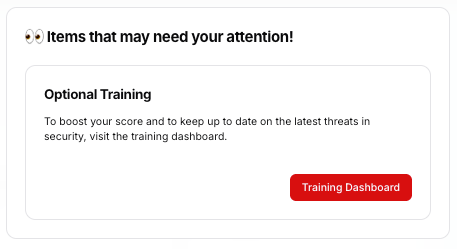
How to Configure Action Items
You can configure action items directly within Unify:
-
Navigate to the Settings tab in Unify
-
Open the Scorecards section
- Define up to three action items, each including:
- Title - the action name shown to end users
- Details - supporting context explaining the action
- Button label - the call-to-action text
- Link - the destination users are directed to when selecting the action
Once configured, these action items automatically appear in the Action Items section of every End User Scorecard.
Action Items are optional and can be enabled or disabled based on preference, but when enabled, they are global and visible to all end users.
Common Action Item Examples
Some commonly used action items to prompt actions of end users are:
-
Completing security awareness or phishing training
-
Enrolling in or enabling Multi-Factor Authentication (MFA)
- Registering for a security-focused webinar or event
