
- Create a Custom Email in Notifications that has the type of Custom.
Make sure to add the Living Security dashboard link (https://app.livingsecurity.com) if you want recipients to access their training dashboard - Click into Campaign Details from Analytics Campaigns Tab
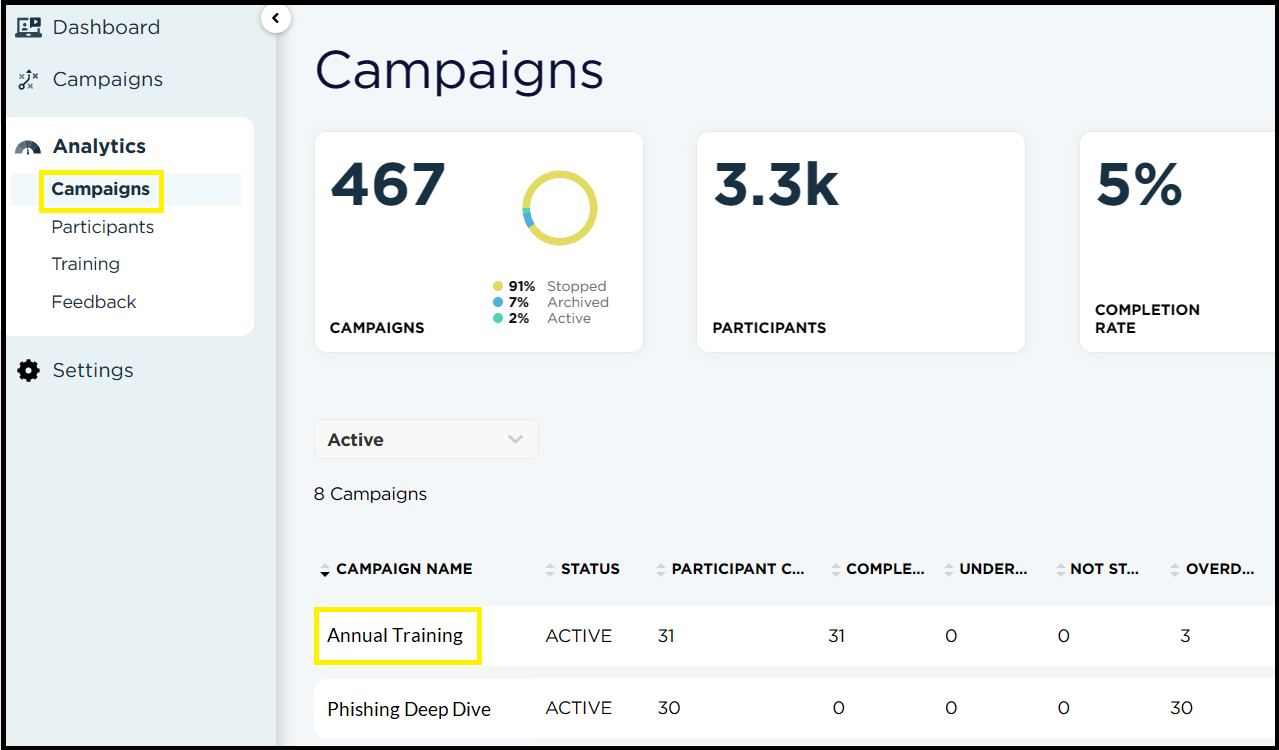
- Once in the Campaign's Detail screen
- Check off individual employees you would like to email, click the box to the left of Participant Name to select all, or filter first by a status
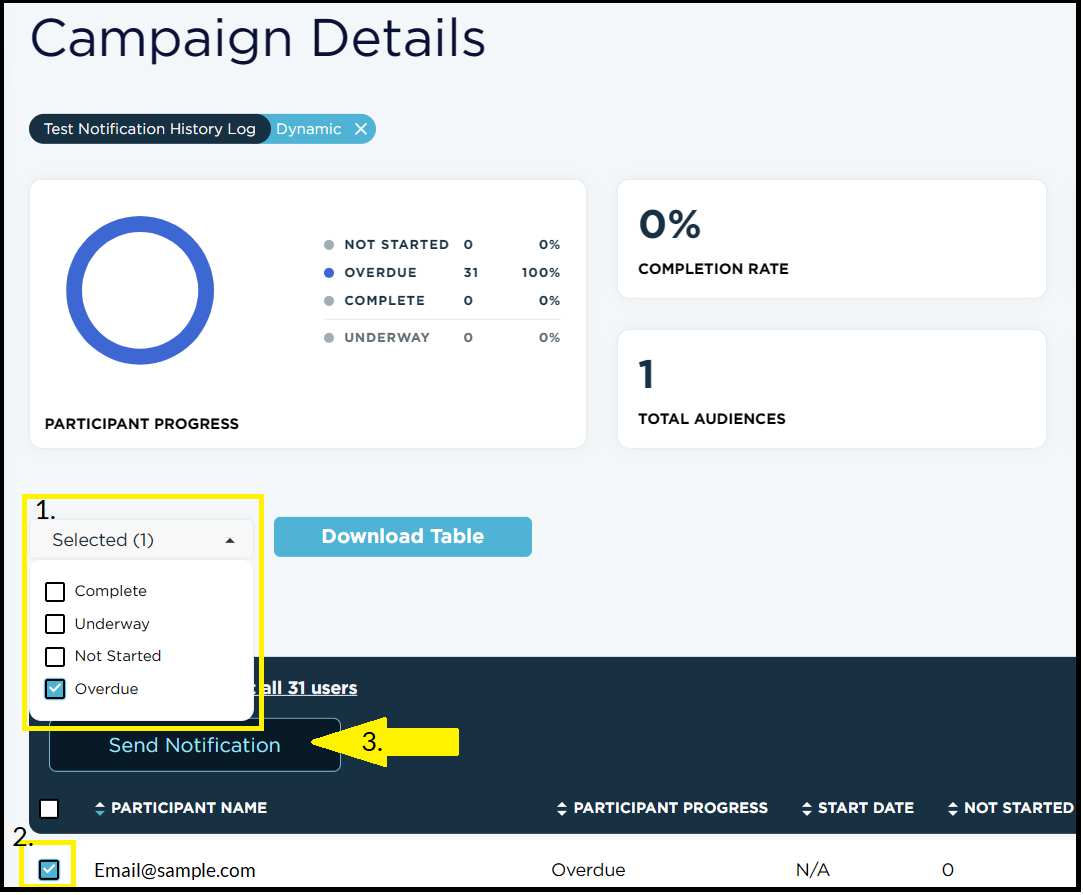
- Check off individual employees you would like to email, click the box to the left of Participant Name to select all, or filter first by a status
- Click Send Notification and you'll be able to select the Custom Notification you've created.
This functionality only works with Custom notifications. Assignment notification templates can not be selected as these are only sent tied to an assignment.
