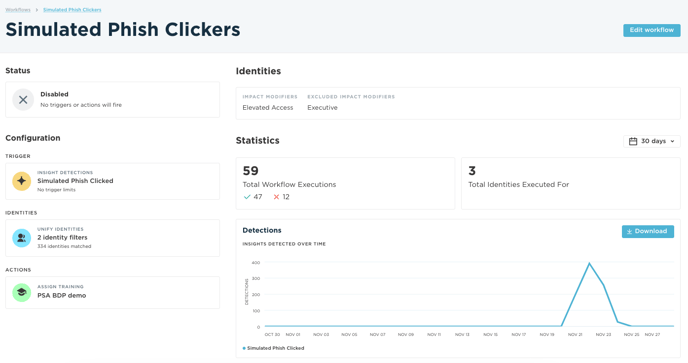
The simplest form of an orchestration workflow can be a simple rule that is defined by the combination of a subject, a trigger, an action, and a payload:
workflow = subject + trigger + action
Subjects
The workflow subject is the identity or set of identities for which the trigger criteria has been met and to which the defined action should be applied.
Triggers
The workflow trigger is the defined set of criteria that must be satisfied in order for the workflow to be executed.
Actions
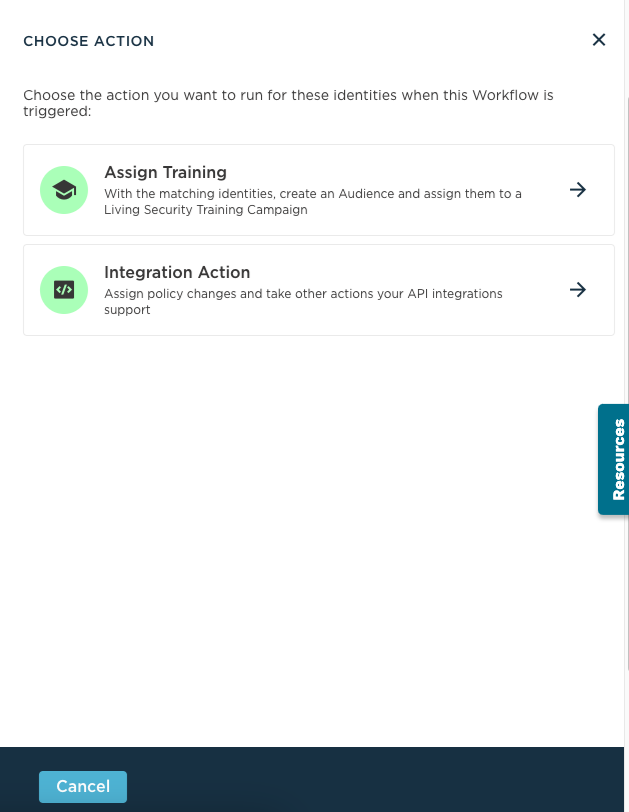
The workflow action is the discrete action that should be applied to the subject when the trigger criteria is satisfied.
Management
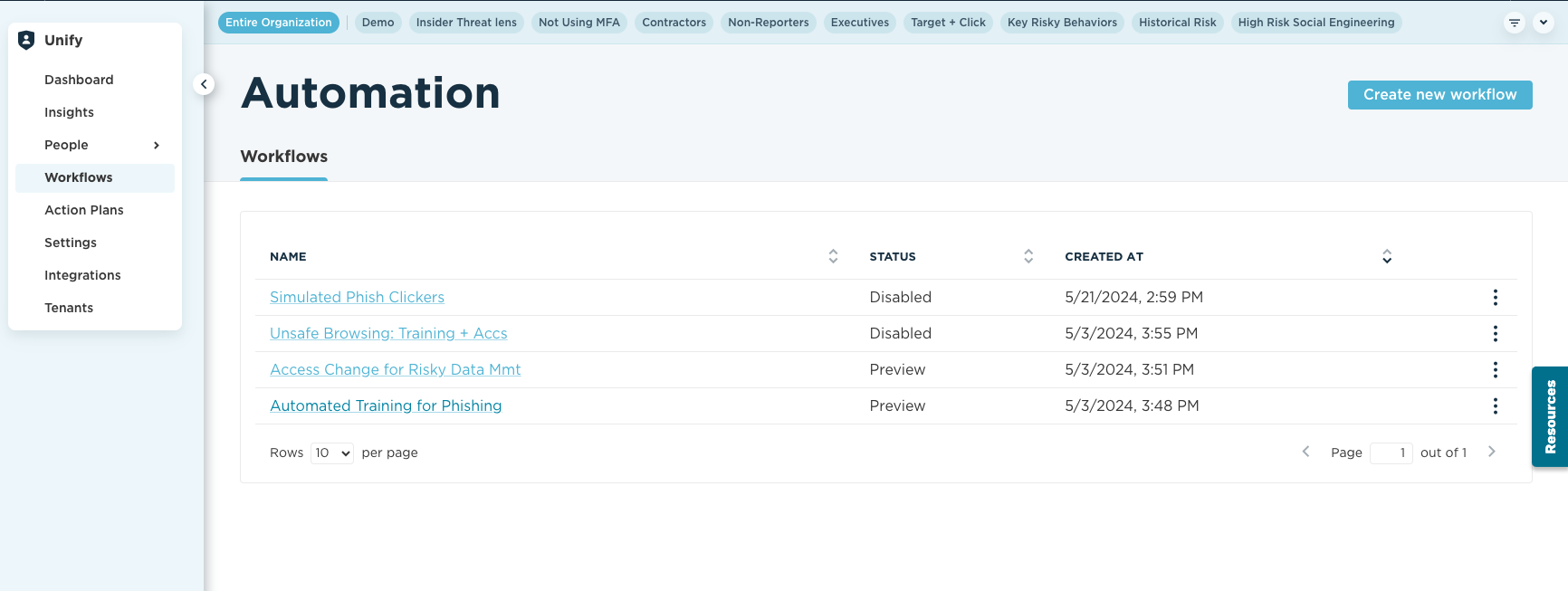
You can have multiple workflows in action and you can review them at any time from the view shown below.
- Create
- Status
- Trigger (Insight Detections)
- Subject Filtering
- Actions (Link to Action specific articles)
- Training Action
- Integration Action
- Workflow History
Create
Status
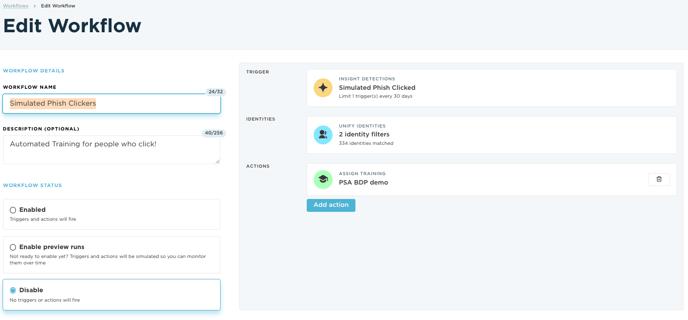
There are multiple statuses that a workflow can have, they are as follows:
- Enabled - Your workflow is currently in use and will execute its action.
- Enable Preview Runs - Your workflow is currently in a mode that will monitor detections but not execute its action.
- Disable - Your workflow is currently not in use and will not monitor detections nor execute its action.
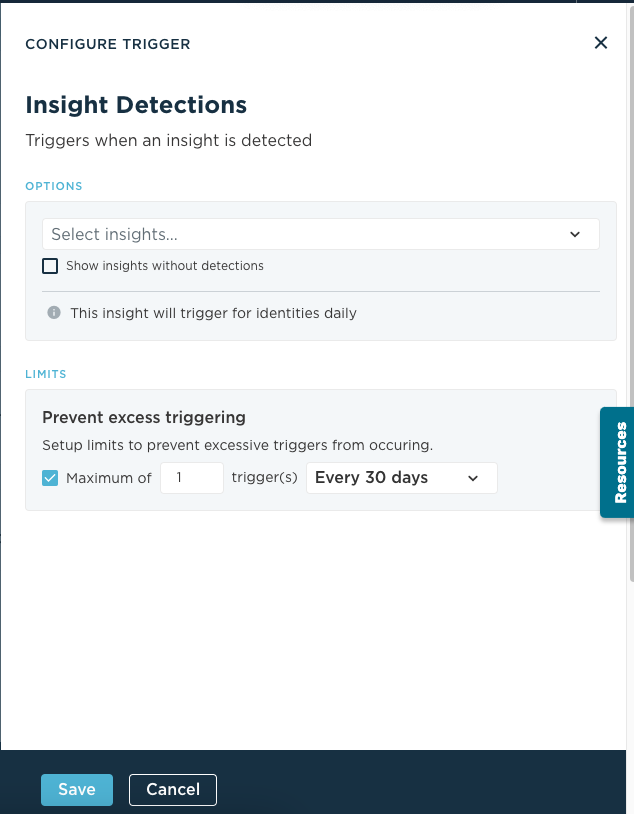
Trigger (Insight Detections)
Subject Filtering
Subject filtering can be defined as..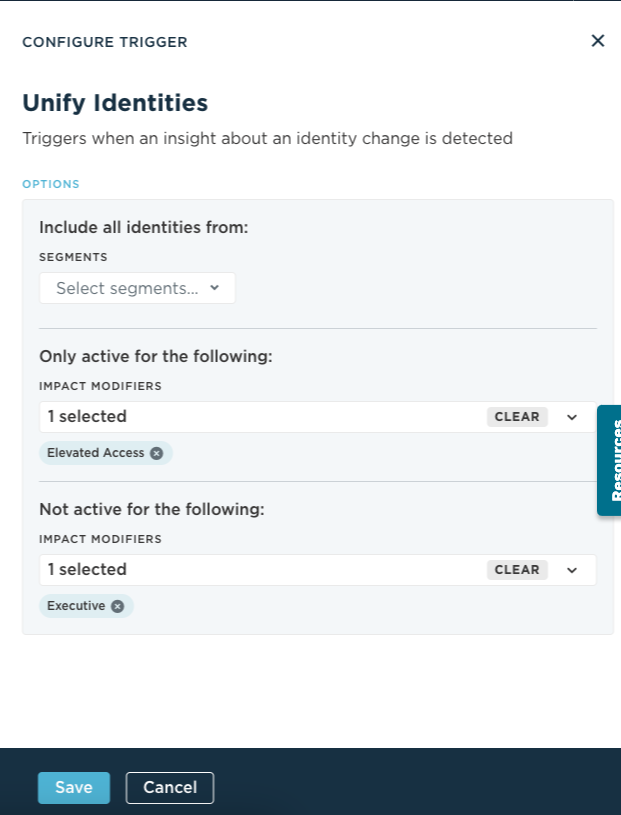
Actions (Link to Action specific articles
Workflow History
Workflow History
Workflow history will display..