
Use these mail flow steps to prevent non-simulated reported emails from being forwarded to the platform via the Microsoft button for analysis and reporting:
To do this, please follow the steps below.
-
-
Go to Mail Flow > Rules and edit the rule that you recently created.
-
Click the + button next to 'Apply this rule if' condition to create an AND condition.
-
Select 'The subject or body' and then select 'subject or body matches these text patterns' option.
-
Add this 'x-keepnet-tid: [0-9a-zA-Z]+' to the text field.
-
Click the Save button to apply the changes.
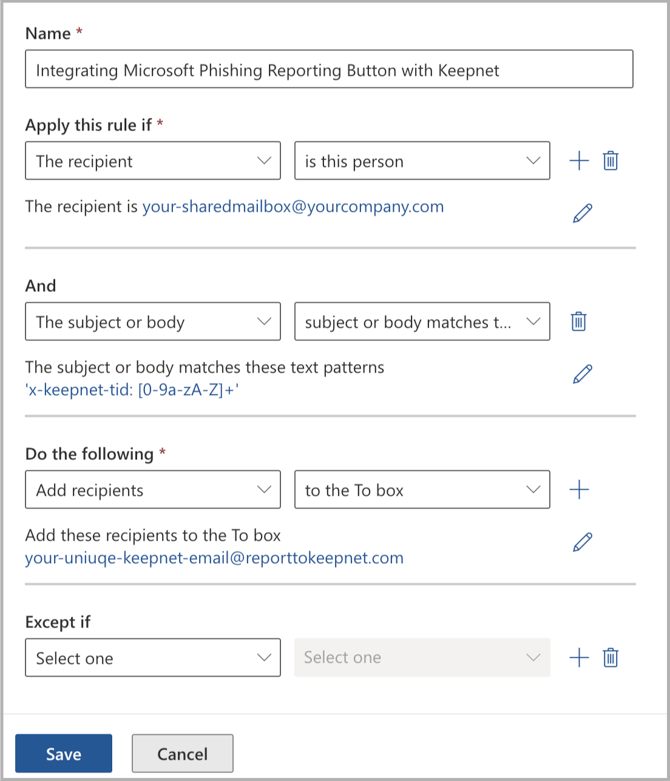
Now, when an employee reports an email by using the Microsoft Phishing Reporter button, only simulation emails will be sent for analysis and reporting; any other emails will not be sent.
